
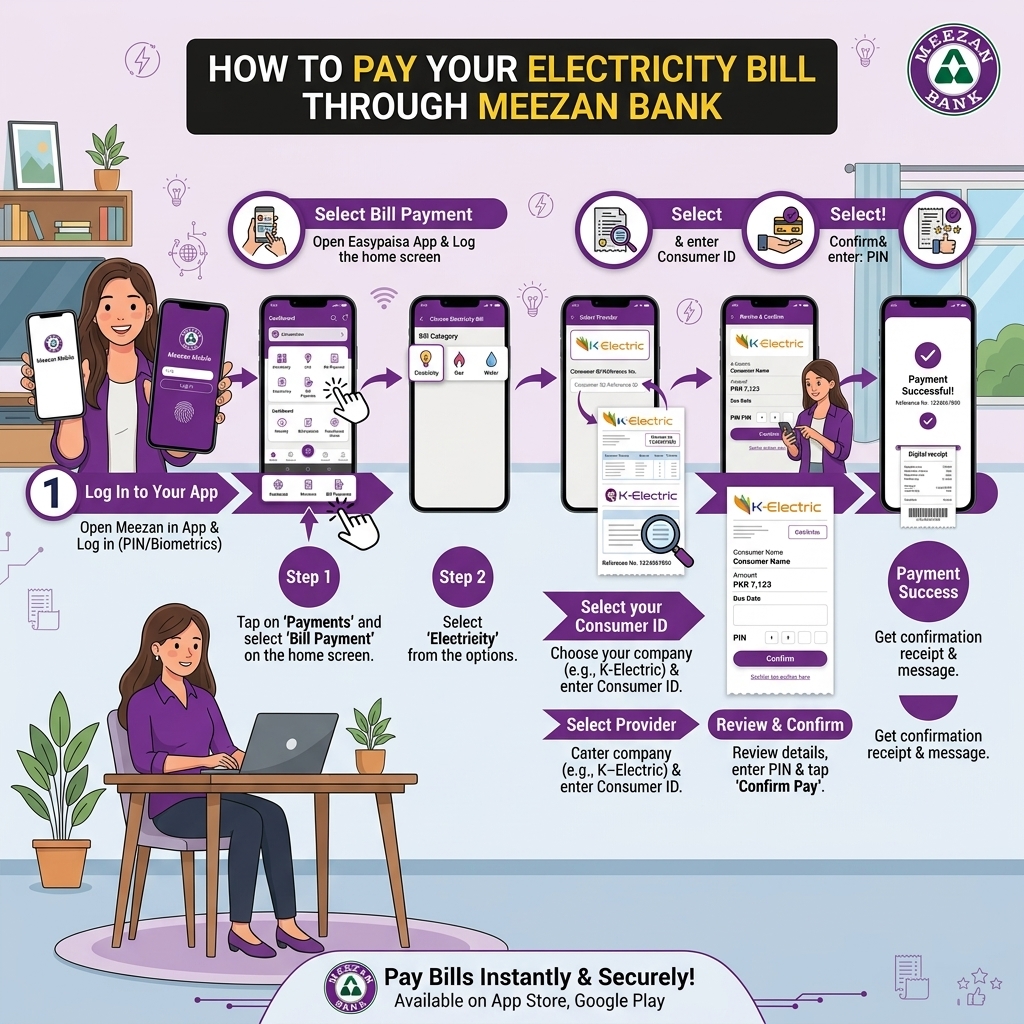
Pay Your Electricity Bill Through Meezan Bank
Meezan Bank is Pakistan's largest Islamic bank, and every payment channel it offers — app, internet banking, or ATM — runs through Shariah-compliant banking infrastructure. Unlike HBL or UBL, Meezan doesn't operate a separate branchless banking wallet (there's no Meezan equivalent of Konnect or Omni), so all three methods below require an actual Meezan Bank account or linked debit/credit card.
Method 1: Meezan Mobile App
The most convenient option for existing Meezan account holders.
- Open the Meezan Mobile App and log in using your PIN or biometric login.
- Tap Bill Payments (sometimes listed under Payments & Transfers).
- Select Electricity, then choose your DISCO — LESCO, FESCO, MEPCO, GEPCO, PESCO, HESCO, QESCO, TESCO, HAZECO, SEPCO, IESCO — or K-Electric.
- Enter your 14-digit reference number manually (or the 13-digit account number for K-Electric). Note: the Meezan Mobile App does not currently support scanning your bill's barcode, so you'll need to type it in from your bill or your Bill Check Online result.
- Confirm the loaded bill amount and due date.
- Authorize the payment with your MPIN, OTP, or biometric verification.
- You'll receive an instant digital receipt in-app.
Worth checking: Meezan occasionally runs discount or cashback promotions on bill payments — it's worth glancing at the app's offers section before confirming a payment, in case one applies.
Method 2: Meezan Internet Banking
A solid option if you'd rather pay from a browser than a phone app.
- Log in to Meezan Internet Banking on the official website.
- Go to Bills & Top-ups.
- Add your DISCO or K-Electric as a beneficiary if you haven't already, using your reference number.
- Select the bill, confirm the amount, and complete the payment.
- You can also set up saved beneficiaries here, so future months only take a couple of clicks rather than re-entering your reference number each time.
Meezan Bank describes its internet banking bill payment coverage as one of the largest bill-payment portfolios of any bank in the country, spanning electricity, gas, mobile, water and sanitation authorities, and more — all manageable from the same login.
Method 3: Meezan ATM
A quick in-person option, available 24/7 across Meezan's network of over 1,200 ATMs nationwide.
- Insert your Meezan Bank Visa Debit Card at any Meezan ATM and enter your PIN.
- Select Bill Payment from the ATM menu.
- Choose Electricity, then your DISCO or K-Electric.
- Enter your reference number using the ATM keypad.
- Confirm the amount and complete the transaction.
- Take the printed receipt as your proof of payment.
A Few Things Specific to Meezan Bank
- No branchless wallet option. If you don't hold a Meezan account and don't want to open one, you won't be able to use a Meezan-branded wallet the way you could with UBL Omni or Konnect by HBL — a Meezan account or linked card is required for all three methods above.
- Enhanced security cooling-off period. Meezan's app applies a temporary lockout (around two hours) after certain sensitive account changes as a security measure — worth knowing if you've just updated your profile or added a new device and then try to make a large payment right away.
- Payoneer integration. If you're a freelancer receiving international payments, the Meezan Mobile App supports direct Payoneer account access — useful if you're managing both freelance income and monthly utility bills from the same account.
- Barcode scanning isn't supported. Unlike some other banking apps, Meezan currently requires manually typing your reference number rather than scanning your bill — double-check the digits carefully before confirming.
Transaction limits:
- Depend on your account type, channel (app/Internet Banking/ATM), and security settings.
- Typical daily limits for bill payments via Meezan Mobile/Internet Banking can range from Rs. 50,000 to several hundred thousand, depending on your profile and device binding.
Always check your current limits in Meezan Mobile App → Settings/Profile → Limits or on Meezan’s website.